Project Type
Student Project
Duration
3 Months
Role
User Researcher
UX & UI Designer
Tools
Maze
Figma
Google Docs
Google Slides
Zoom
Context
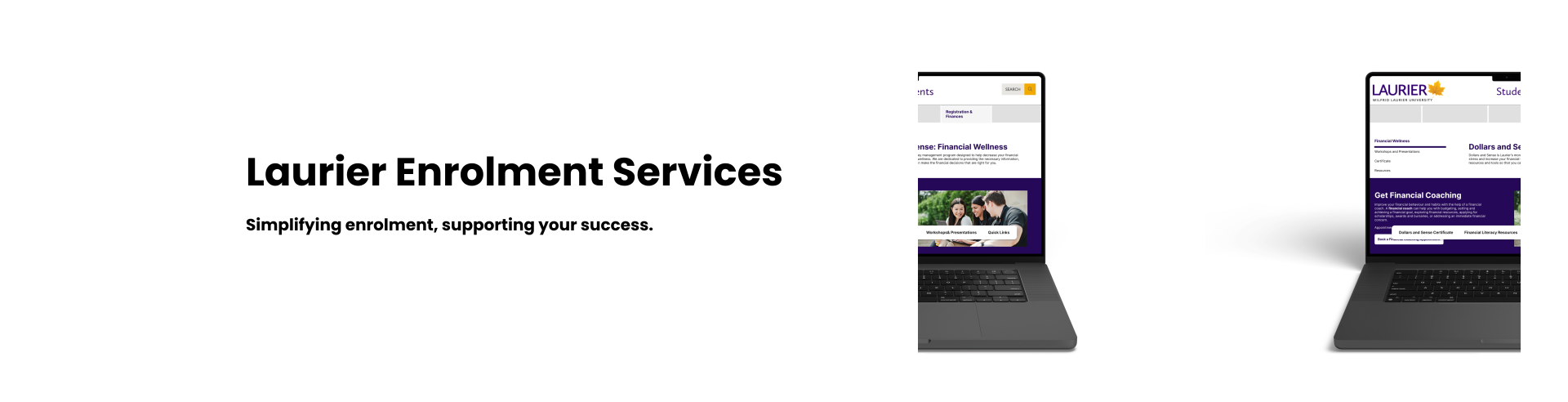
As part of my UX200 class, students were assigned clients from various organizations in Brantford to help design user-centered solutions. My group collaborated with Laurier Enrolment Services to conduct a UX and accessibility audit of their webpages. Our goal was to identify usability shortcomings and design an improved solution.
My Contribution
Client Communication & Needs Assessment
I worked closely with the client to understand their objectives and pain points. By conducting regular meetings and discussions, I ensured our solutions aligned with their expectations and addressed key usability concerns.
User Research & Data Analysis
I designed and conducted a closed card sort to analyze how users categorized enrolment-related content. I combined this data with insights from contextual interviews to create User Personas and formulate actionable recommendations
Prototyping, UI Design, & Usability Testing
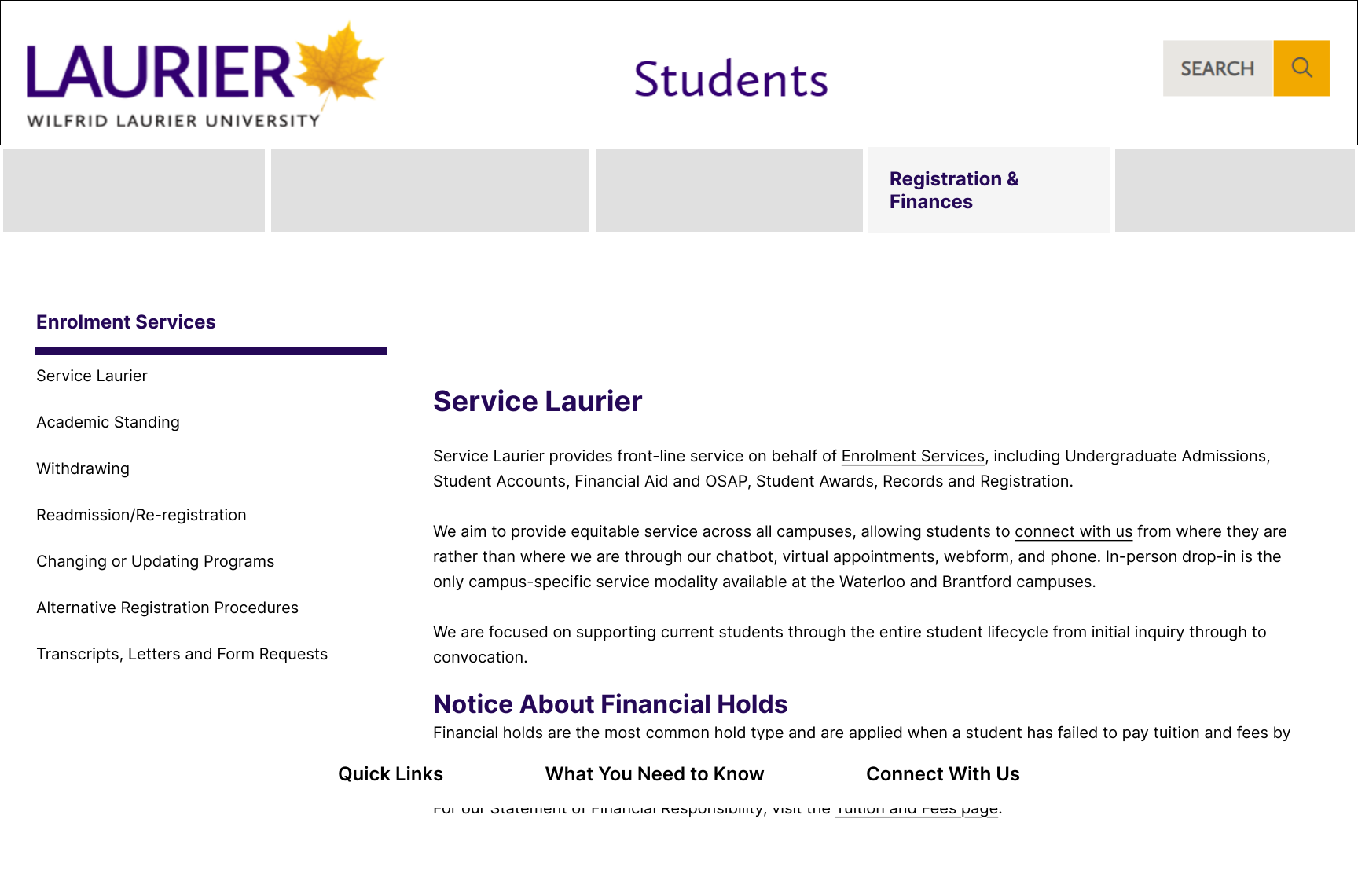
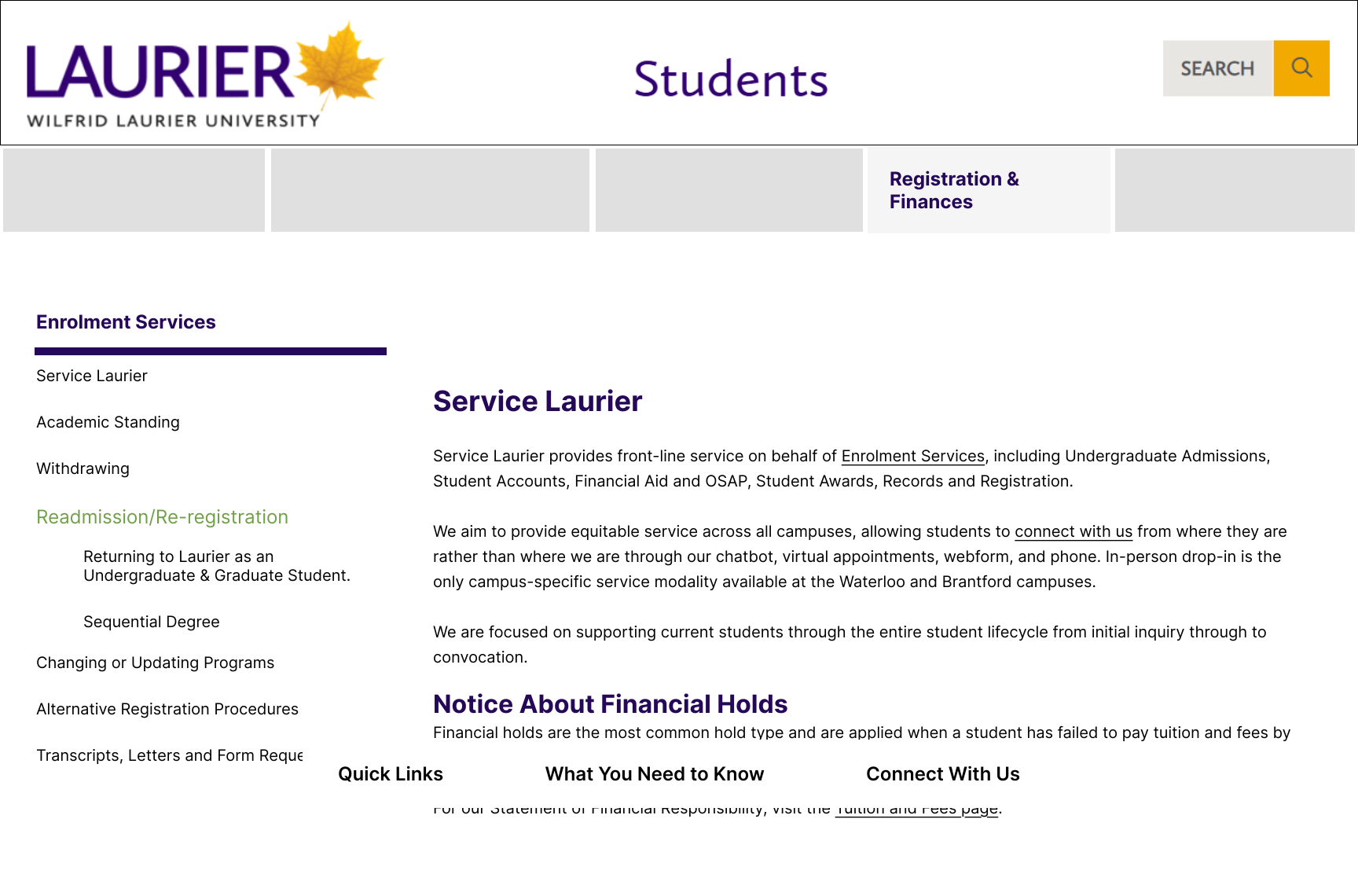
I developed two interactive prototypes that replicated the original Enrolment webpages and an improved version that included our design solutions. I conducted A/B testing to compare the existing website with our redesigned version, and analysed the feedback to identify areas for improvement.
Overview
Problem
Students struggle to find both new and familiar information on the Enrolment Services webpages. When they do locate the needed information, they frequently contact Service Laurier (customer-facing enrolment staff) to confirm its accuracy.
Challenge
How might we make Enrolment Services information easier to find, while ensuring users feel confident in their ability to locate the correct information?
Design Process
Research
Competitive Analysis
We began our research by analyzing competing enrolment websites to evaluate usability, design strengths, and weaknesses. We selected our websites based on location (Southern Ontario), similar academic programs, comparible size & reputation, and similar audience (domestic & international students).
Our competitive analysis revealed that York University and McMaster offer diverse application options, while Brock and Waterloo prioritize simplicity. York’s intuitive interface contrasts with other sites' cluttered designs. To stand out, we should ensure logical navigation, leverage multimedia for clarity, and create an enrollment hub with key dates and step-by-step guides.
User Research
Through user interviews and card sorts we aimed to uncover:
1.
Usability issues students face with the current site.
2.
Elements of the existing website that work well.
3.
How students currently navigate the Enrolment website.
User Interviews
Our open & contextual interviews revealed that participants found Laurier’s website overwhelming, often relying on search bars due to confusing menus and lengthy pages. Many struggled to locate information, leading to frustration.
Card Sorts
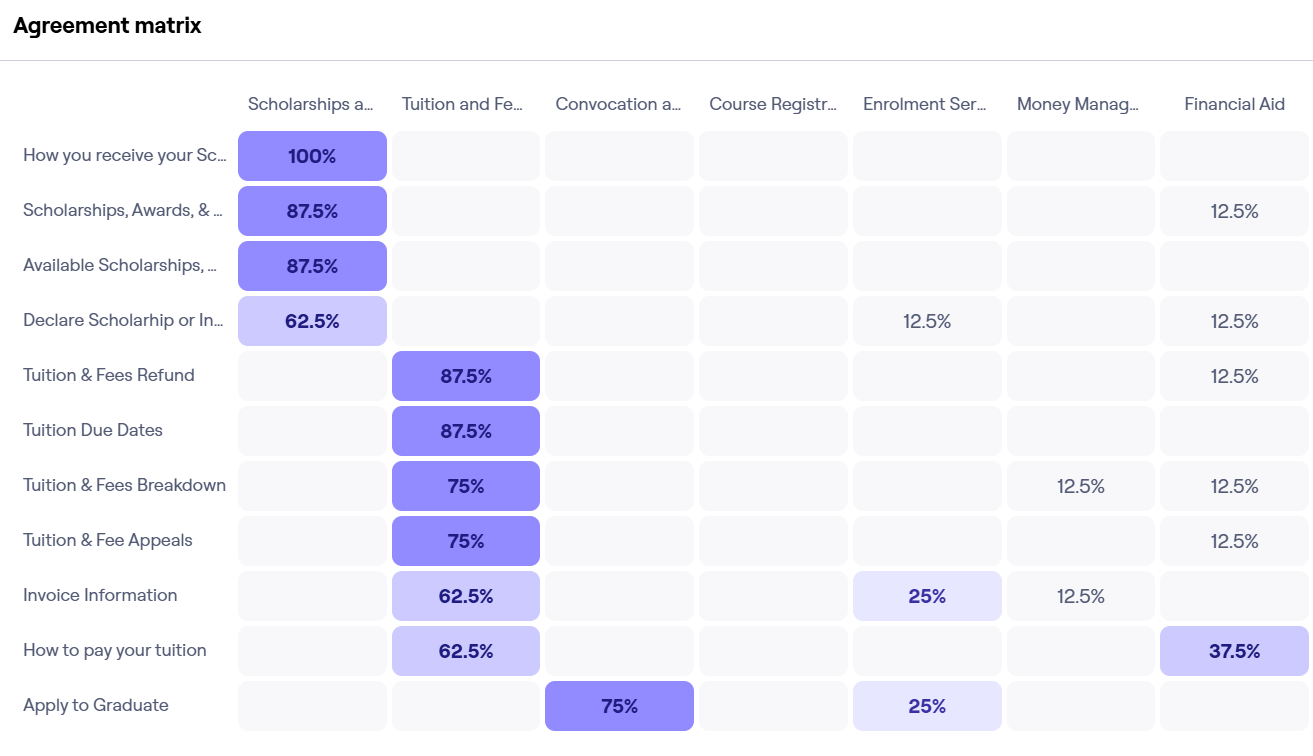
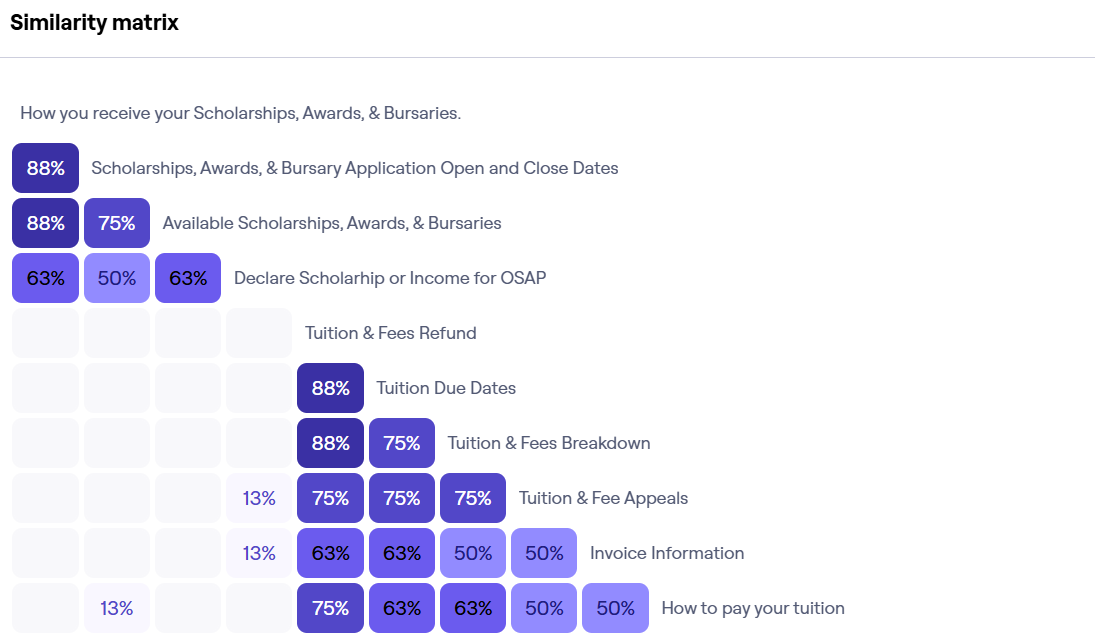
Closed card sorting was done to learn how users categorize information and if their understanding aligns with the website’s current information architecture.
Key Insights:
Administrative processes like “Update Course Load for OSAP” or “Submit Preferred or Legal Name Change” had the lowest agreement, with users placing them under 4-5 different categories. This suggests that the "Enrolment Services" category is not well defined.
Financial topics such as scholarships and tuition were often grouped together, but not placed in the correct category. This suggests that the Financial Aid category is too broad and lacks a clear definition.
Analyze
User Persona
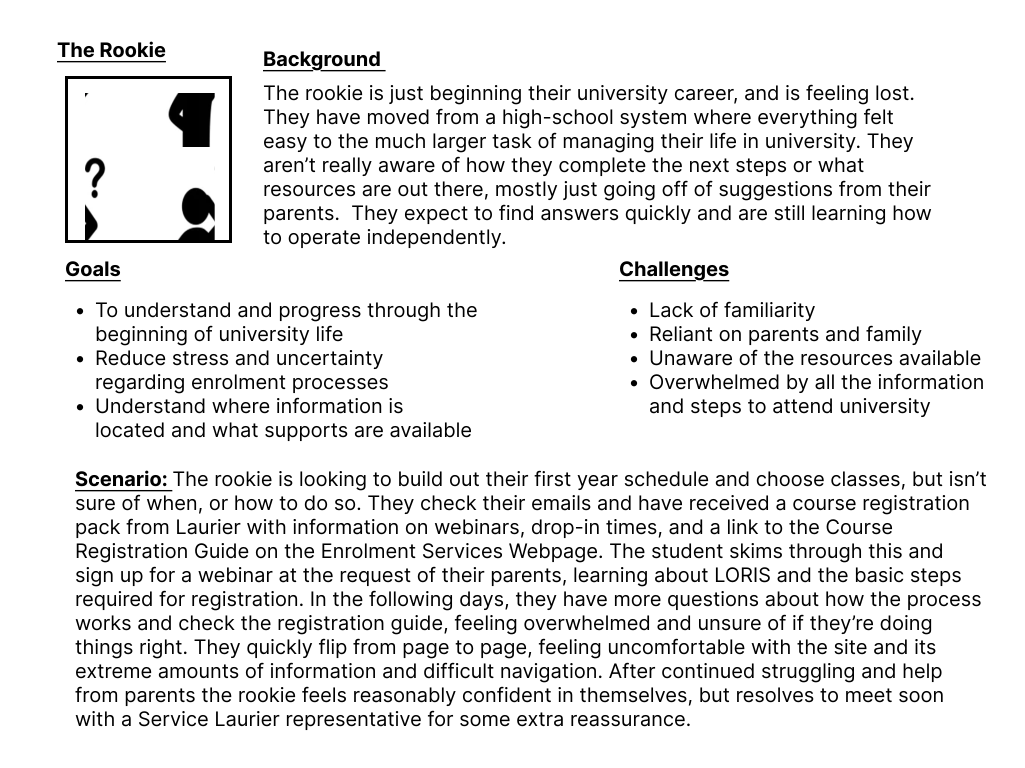
We condensed our project scope to focus on first-year students as they often have the most trouble navigating the current site (based on research done by our client).
Meet the Rookie, a user persona I developed to represent first-year university students who feel lost navigating enrollment and university life. This persona highlights their challenges with unfamiliar systems, reliance on family, and information overload while emphasizing their need for clear, accessible guidance to reduce stress and build confidence.
Ideate
How-Now-Wow Matrix
Based on our established user needs and pain points collected from User Interviews and Card Sorts, I developed a list of design solutions and determined which ones were feasible based on project restrictions.
Prototype
High-Fidelity Prototype
Testing
A/B Testing
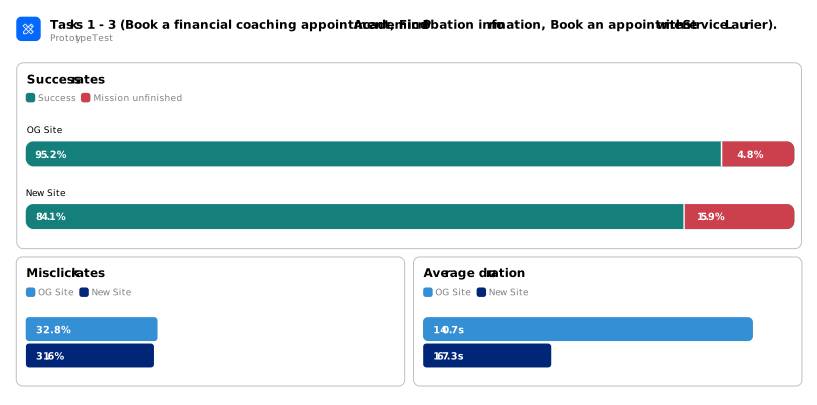
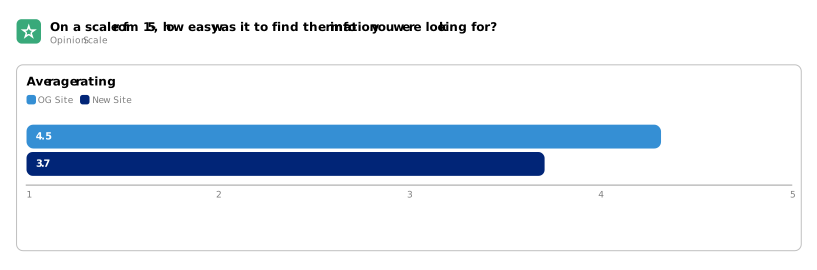
I conducted A/B testing with 8 participants, comparing the original Laurier Enrolment Services site with our redesigned prototype.
Our testing showed that renaming "Money Management" to Financial Wellness, and combining “Tuition & Fees” with “Financial Aid” improved clarity. Participants found key information faster, and with fewer steps.
The removal of unnecessary information also reduced the amount of time users took to find the information they needed.
However, our biggest changes did not reveal the information we hoped. Users did not often look at the side menu until prompted, though once discovered, it did help users navigate more confidently. Similarly, our “Skip to Subsection” bar was underutilized, likely because the section headings from the original website were unclear and confusing.
Overall, our testing revealed the biggest usability issues stemmed from vague labels, poor content hierarchy, and overwhelming page layouts.
Reflection
Next Steps:
Continue User Testing.
Continue testing to learn more about how users navigate the site and how to effectively restructure content.
Cross-Department Collaboration.
Collaborate with IT and stakeholders to implement and test changes that weren’t possible within the scope of our project.
Student Feedback Loops.
Integrate student feedback loops where students can report confusing areas and errors, allowing the site to be continuously improved based on common feedback.
What I Learned:
Iterate as much as possible.
The design solution you start with is often not the best one. Multiple rounds of testing and research are essential to clearly define the problem and find the most effective solution.
Understand your client’s goals.
When we started, the client only expressed wanting the website to be “better.” It was up to us to ask the right questions and help them articulate what “better” meant in terms of user needs and business outcomes.
OverviewResearchAnalyzeIdeateDesignReflection